
The most expensive resource on your server is the one that never stops
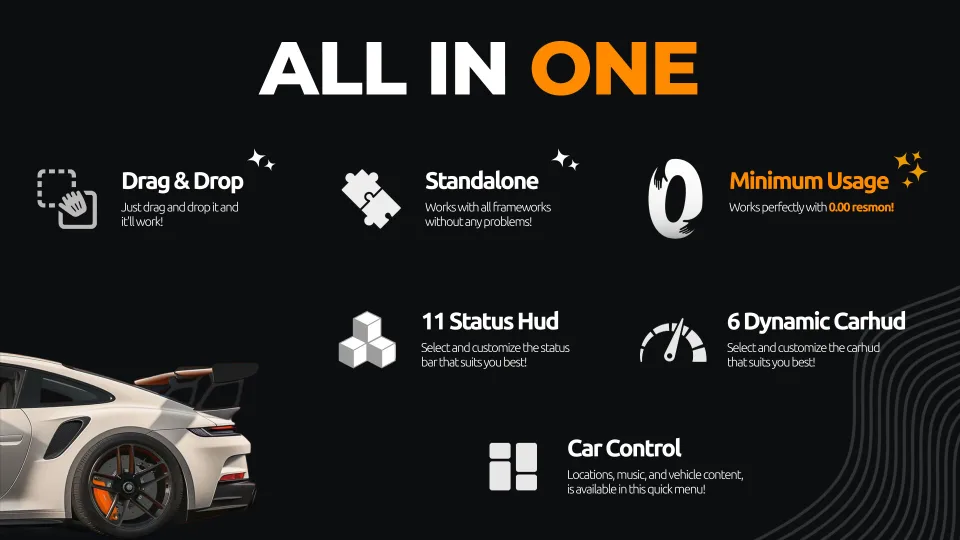
A robbery script costs nothing until somebody starts a robbery. A HUD runs every frame, for every player, for the entire session. That asymmetry is why HUD choice matters more than its feature list suggests, and why the figures worth checking are not the idle ones but the in-vehicle ones. WAIS HUD V6 reports 0.00ms outside a vehicle and 0.01ms while driving.
It is also the single most visible thing you ship. Every clip your community posts has your HUD in the corner of it.
Choosing a look
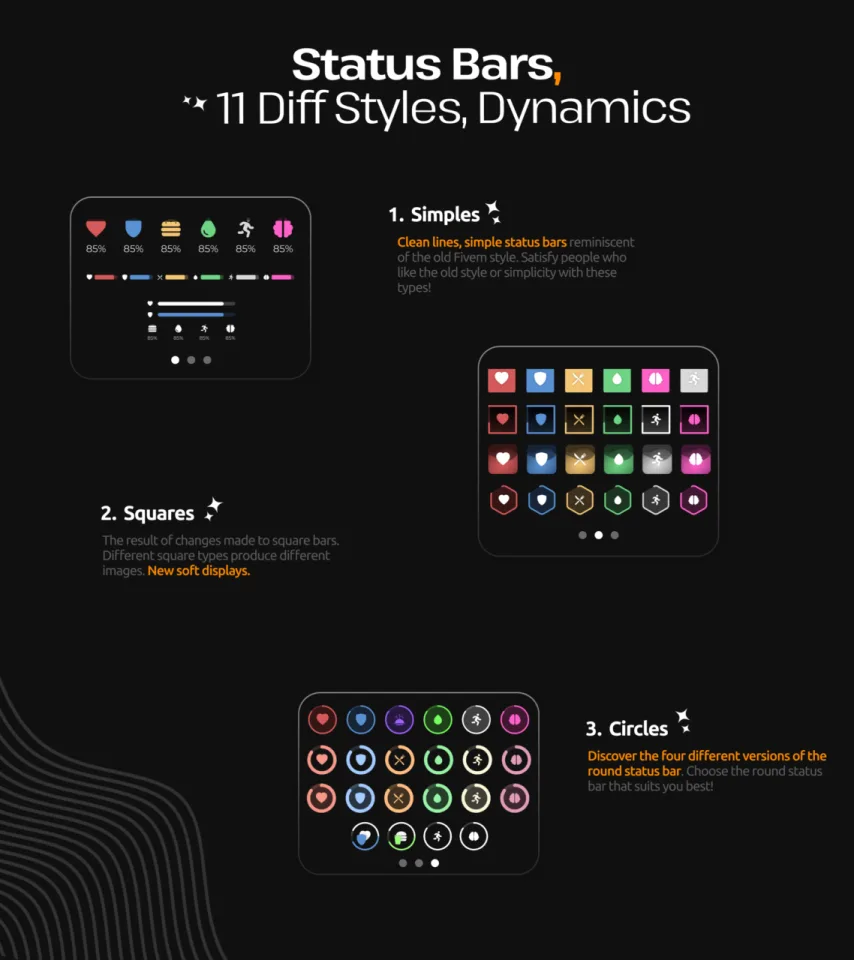
Eleven status bar styles across three families:
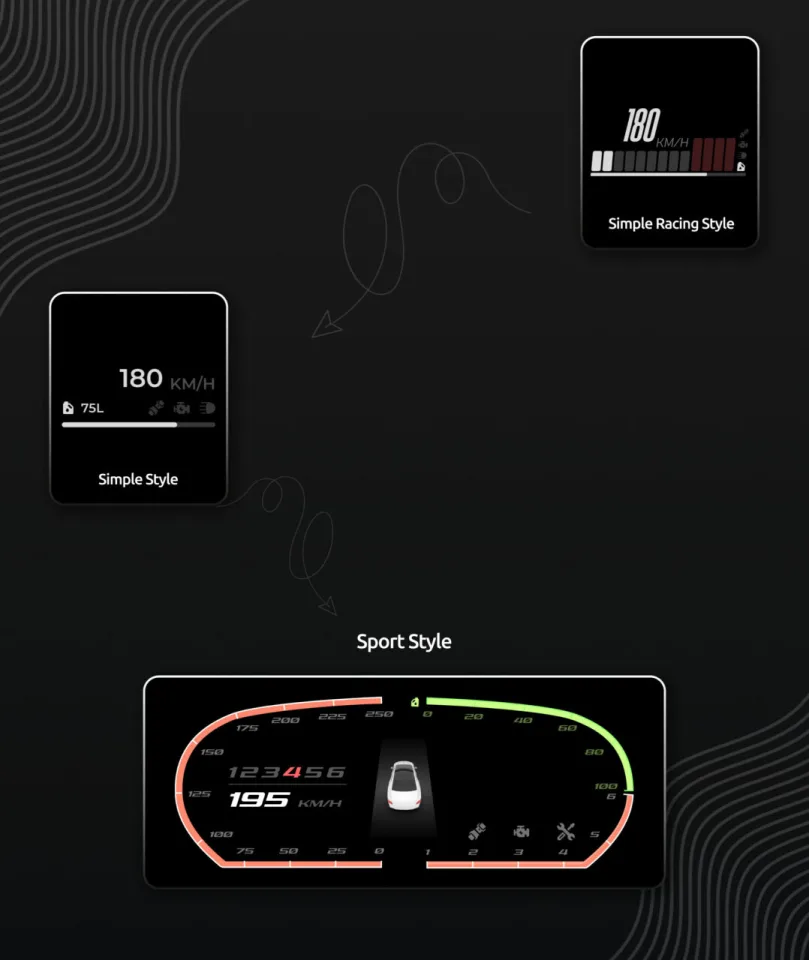
- Simple. Clean lines and minimal layout, closest to classic FiveM HUDs.
- Square. Modern square bars with soft display styling and several geometric variants.
- Circle. Four circular designs for servers that want the status ring look.
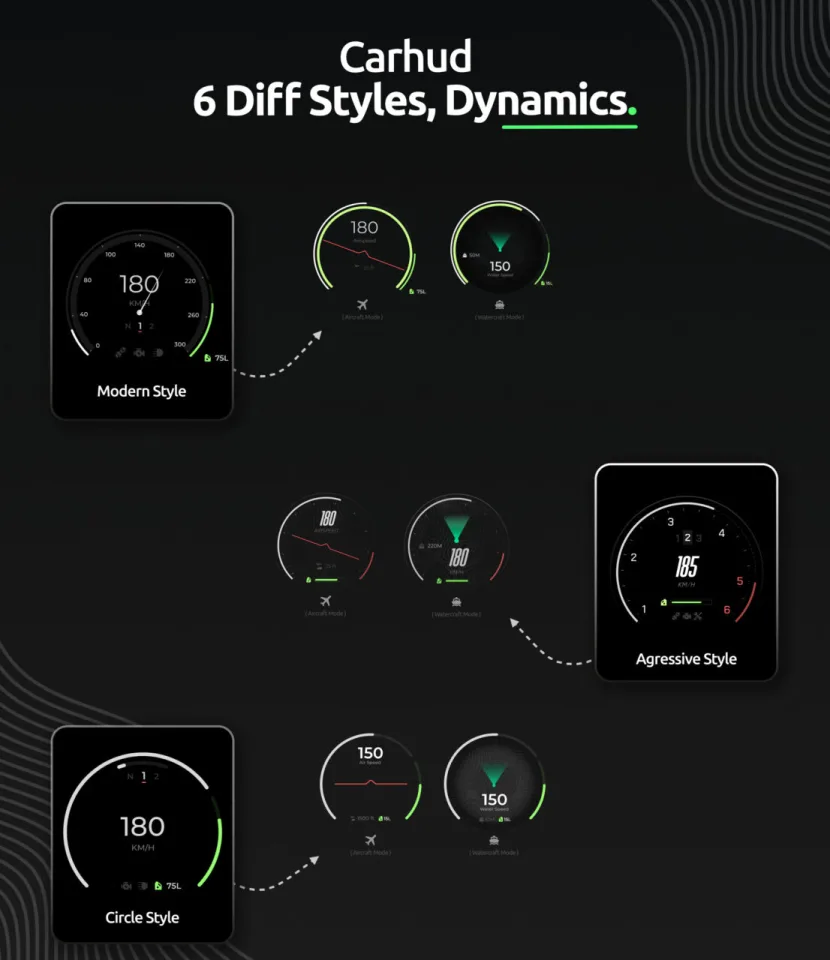
Six vehicle HUDs. Animated speedometers with separate treatments for cars, boats and aircraft, switching to match whatever the player is currently driving.
Four corner info panels. Cash, bank balance, job title, gang affiliation and more, in a compact widget.
Making it yours
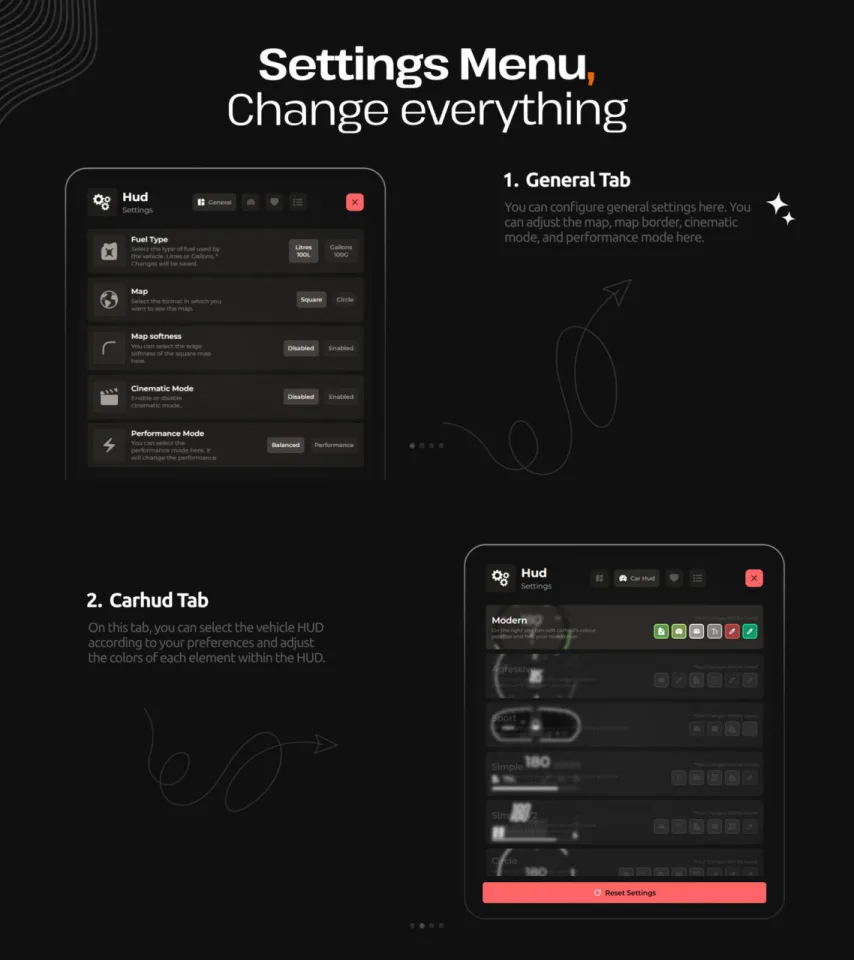
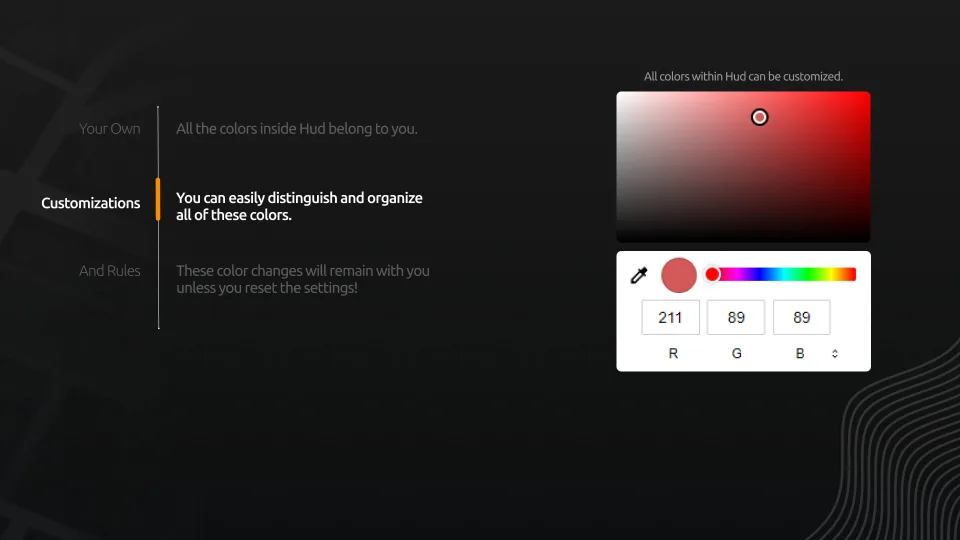
Colour is per element, not per theme. Status bars, vehicle HUD components and UI accents are each independently adjustable, and a player's choices persist across sessions until they reset them. The settings menu splits into a General tab for minimap style, map border, cinematic mode and performance mode, and a Car HUD tab for picking a speedometer style and recolouring every element inside it. One click resets everything to defaults.
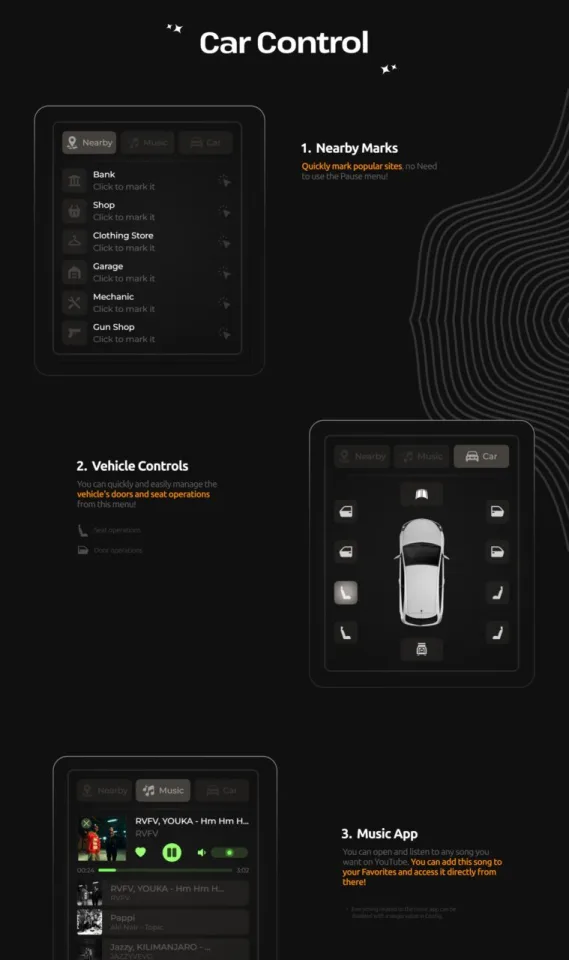
The car control menu
Built in rather than a separate resource:
- Nearby marks. Pin banks, shops, clothing stores, garages, mechanics and gun shops to the map without opening the pause menu.
- Vehicle controls. Doors and seat positions from a clean in-vehicle panel.
- Music player. YouTube streaming in-game with a saveable favourites list.
Compatibility
Fully standalone with no framework dependency, which means it runs on QBCore, ESX, Qbox or a server with no framework at all. Drop it into resources, ensure it, and disable your framework's stock HUD so the two are not both drawing.
Delivered by email within minutes of checkout.
WAIS HUD V6 Customizable installation for FiveM servers
WAIS HUD V6 Customizable is a FiveM script from CFX Assets Tebex Store in the 0Resmon category. After checkout, download the resource package from your CFX Assets Tebex Store order email, upload the included folder to your server, and start it from server.cfg.
resources/ directory.
ensure line using the exact folder name shipped in the download.
Use this as the server.cfg pattern. Replace the folder name if your downloaded resource folder is different:
ensure wais-hud-v6-customizableThe previous generated tebex-... prefix has been removed here because the real folder name is controlled by the download package, not by this product page.
Why WAIS HUD V6 Customizable fits a FiveM server
Framework labels for this listing: esx, qbcore, qbox. Check the included readme for any product-specific setup notes.
WAIS HUD V6 Customizable compatibility and purchase details
Write a review
Reviews are moderated before appearing. Purchased the product? Your review gets a VERIFIED badge automatically.
Related scripts




About this FiveM script
WAIS HUD V6 Customizable is a premium FiveM script for esx, qbcore, qbox servers. It’s part of the Tebex catalog, a curated selection of resources for QBCore, ESX and Qbox roleplay servers. Every script on Tebex ships with lifetime updates, instant email delivery, and email support for technical questions.
It installs as a standard FiveM resource: unzip it into your resources folder, add it to your server.cfg, and restart. The config-first design means you can change prices, permissions and locations without editing the core Lua.
Framework fit for this listing: esx, qbcore, qbox. Check the included readme for any setup notes specific to this resource. Licence and refund terms are set out in our terms.