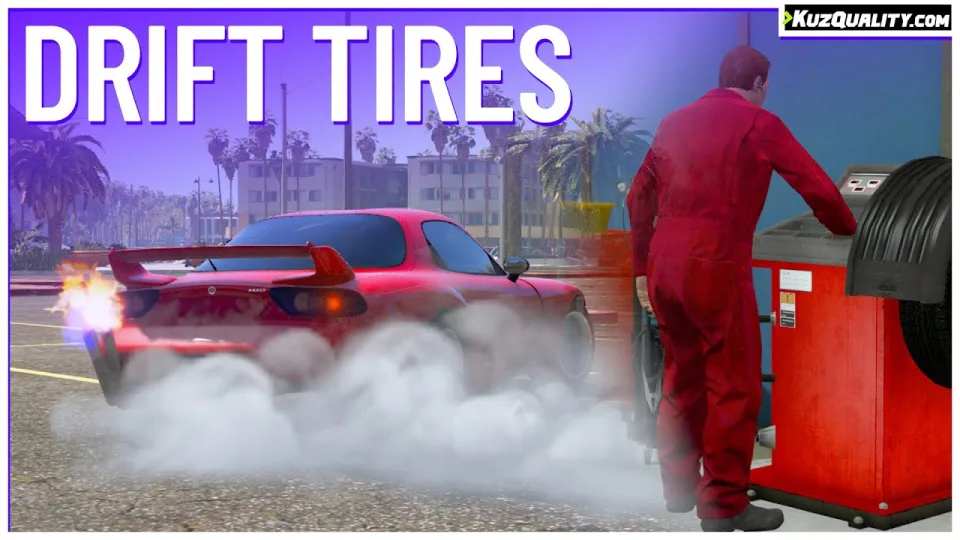
Drifting as mechanic work
The usual drift script is a menu that changes a handling value. This one makes the tyre change a physical job: a mechanic fits the tyres, balances the wheel on a custom balancer machine through a minigame, and the driver adjusts pressure afterwards at any air compressor, which most gas stations and workshops already have. The car lift prop in the pack is what the shop floor was missing.
That design turns a cosmetic feature into a reason for two players to be in the same garage.
It does not touch handling.meta
Worth understanding, because it is the difference between this working alongside your other scripts and breaking them. The drift physics are produced through in-game scripting functions and maths rather than by editing handling.meta, so the script stays compatible with essentially anything else that alters vehicle handling or performance.
It also deliberately does not make cars faster than they are on normal tyres, which is the failure mode of most drift scripts.
Features
- Fit drift tyres to almost any car, front-wheel drive excepted.
- A wheel-changing process with several minigames, including realistic wheel balancing.
- Tyre pressure adjustment at air compressors to fine-tune traction.
- A built-in shop for the car jack and the tyre types.
- Drift tyres and tyre pressure both saved to the database.
- Whitelist or blacklist vehicle classes, so emergency vehicles stay out of it.
- An API file exposing functions that fire on script events, for your own integrations.
Performance
0.00 to 0.01ms when nobody is interacting with it.
Compatibility
ESX and QBCore, and usable standalone through commands instead of items.
Delivered by email within minutes of checkout.
Drift Tires and Car Lift Pack installation for FiveM servers
Drift Tires and Car Lift Pack is a FiveM script from CFX Assets Tebex Store in the ESX Scripts category. After checkout, download the resource package from your CFX Assets Tebex Store order email, upload the included folder to your server, and start it from server.cfg.
resources/ directory.
ensure line using the exact folder name shipped in the download.
Use this as the server.cfg pattern. Replace the folder name if your downloaded resource folder is different:
ensure drift-tires-and-car-lift-packThe previous generated tebex-... prefix has been removed here because the real folder name is controlled by the download package, not by this product page.
Why Drift Tires and Car Lift Pack fits a FiveM server
Framework labels for this listing: esx, qbcore, qbox. Check the included readme for any product-specific setup notes.
Drift Tires and Car Lift Pack compatibility and purchase details
Write a review
Reviews are moderated before appearing. Purchased the product? Your review gets a VERIFIED badge automatically.
Related scripts


About this FiveM script
Drift Tires and Car Lift Pack is a premium FiveM script for esx, qbcore, qbox servers. It’s part of the Tebex catalog, a curated selection of resources for QBCore, ESX and Qbox roleplay servers. Every script on Tebex ships with lifetime updates, instant email delivery, and email support for technical questions.
It installs as a standard FiveM resource: unzip it into your resources folder, add it to your server.cfg, and restart. The config-first design means you can change prices, permissions and locations without editing the core Lua.
Framework fit for this listing: esx, qbcore, qbox. Check the included readme for any setup notes specific to this resource. Licence and refund terms are set out in our terms.