Retiring the "no offroad driving" server rule
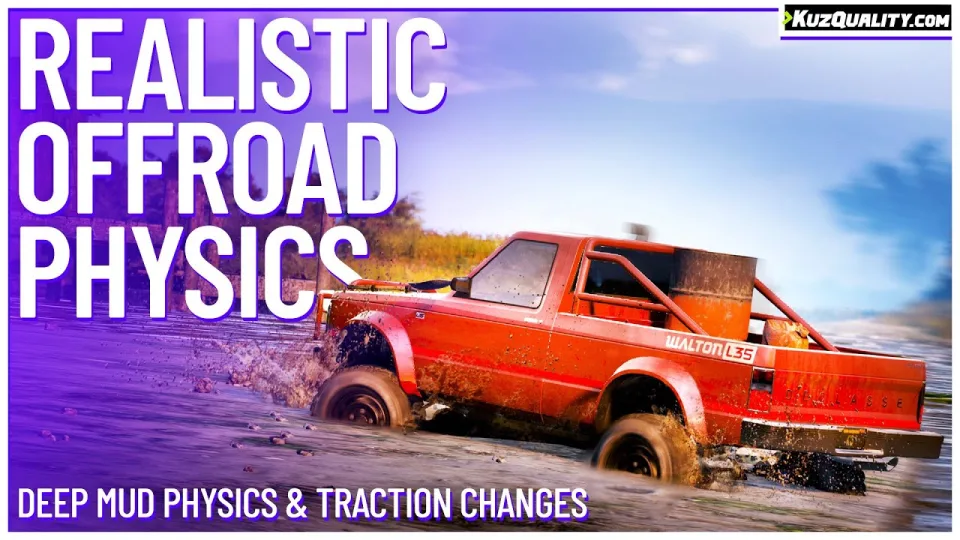
Every roleplay server has a rule against driving a sports car up a mountain, and every server enforces it badly, because the rule exists to compensate for the game not caring about terrain. This script makes the terrain care, which means you can delete the rule.
Vehicles sink into mud, sand, dirt and soft surfaces generally, and getting a car out is a genuine problem for a driver who chose the wrong vehicle.
The three surface parameters
Each material is defined by three values you can tune:
- Depth. How far a vehicle sinks. Deeper means harder to drive and, past a point, genuinely stuck.
- Softness. How quickly it sinks. Gravel slows the process; wet sand and mud accelerate it.
- Traction. Grip on the surface, affecting acceleration, braking and turning. Low traction means skidding on gravel and rock.
What the vehicle brings to it
Offroad performance is calculated per vehicle from suspension height, wheel size, whether it is all-wheel drive, weight, wheel count, vehicle class, fitted offroad tyres, and the current weather. The result is that a purpose-built 4x4 behaves like one and a lowered coupe does not, without you maintaining a list.
What to expect
- Visible sinking into the surface, not just a handling penalty.
- Traction loss on slippery ground.
- Handling that differs realistically by vehicle type and class.
- Seamless synchronisation between players.
- Extensive configuration.
- Very low resource usage.
What it does not do
It does not modify vehicle handling files, so it coexists with your other vehicle scripts.
Compatibility
Fully standalone with no dependencies, so it runs on any framework or none.
Delivered by email within minutes of checkout.
Realistic Offroad Physics installation for FiveM servers
Realistic Offroad Physics is a FiveM script from CFX Assets Tebex Store in the ESX Scripts category. After checkout, download the resource package from your CFX Assets Tebex Store order email, upload the included folder to your server, and start it from server.cfg.
resources/ directory.
ensure line using the exact folder name shipped in the download.
Use this as the server.cfg pattern. Replace the folder name if your downloaded resource folder is different:
ensure realistic-offroad-physicsThe previous generated tebex-... prefix has been removed here because the real folder name is controlled by the download package, not by this product page.
Why Realistic Offroad Physics fits a FiveM server
Framework labels for this listing: esx, qbcore, qbox. Check the included readme for any product-specific setup notes.
Realistic Offroad Physics compatibility and purchase details
Write a review
Reviews are moderated before appearing. Purchased the product? Your review gets a VERIFIED badge automatically.
Related scripts





About this FiveM script
Realistic Offroad Physics is a premium FiveM script for esx, qbcore, qbox servers. It’s part of the Tebex catalog, a curated selection of resources for QBCore, ESX and Qbox roleplay servers. Every script on Tebex ships with lifetime updates, instant email delivery, and email support for technical questions.
It installs as a standard FiveM resource: unzip it into your resources folder, add it to your server.cfg, and restart. The config-first design means you can change prices, permissions and locations without editing the core Lua.
Framework fit for this listing: esx, qbcore, qbox. Check the included readme for any setup notes specific to this resource. Licence and refund terms are set out in our terms.