You can tell a serious roleplay server from a thrown-together one in about four seconds — the moment a cop steps out of a vehicle. Mismatched uniforms, a patrol car with a stretched livery, six officers in six different vests: it reads as amateur instantly. Police and EMS loadouts are the most visible thing on your whole server, and getting them consistent is mostly discipline, not budget. Here’s how to outfit emergency services so they actually look like an organization.
EUP uniforms: consistency beats quantity
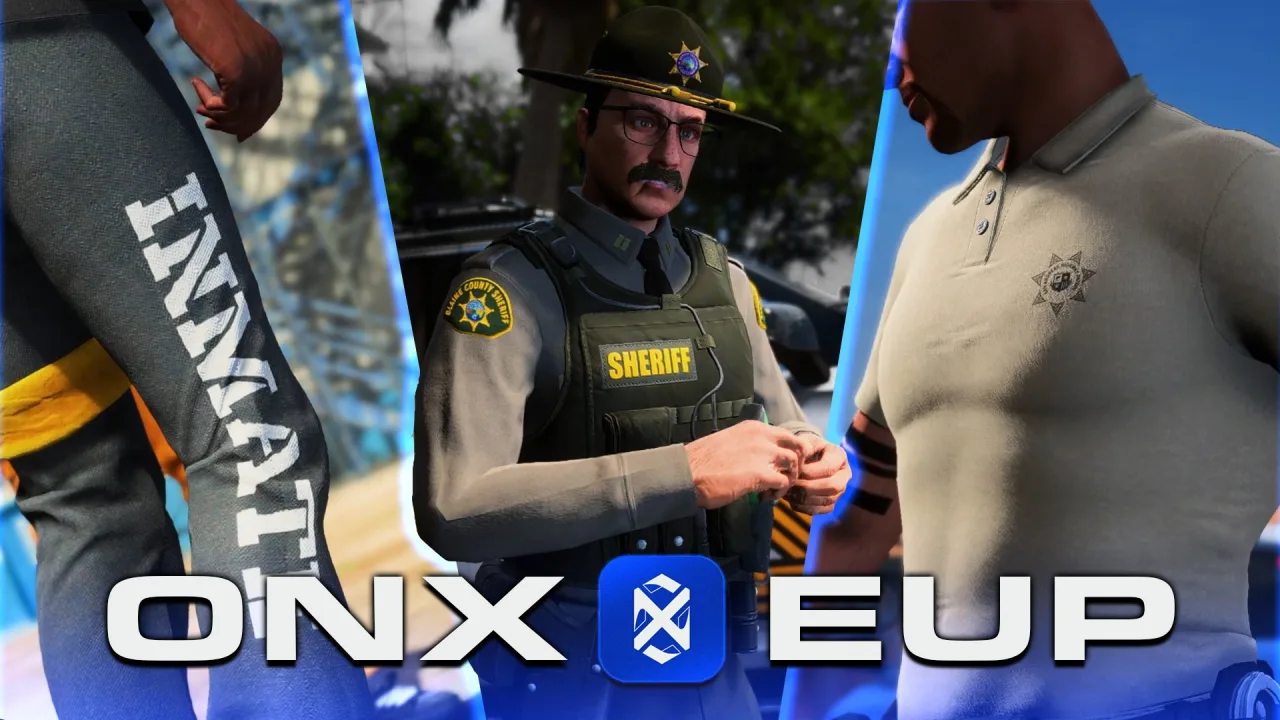
EUP (Emergency Uniforms Pack) is the foundation, but having a thousand clothing options is worthless if every officer assembles a different look. The goal isn’t variety — it’s a uniform that reads the same on every body, every time.
- Lock the components. Decide exactly which torso, leg, shoe, and vest variants make up “Patrol,” “Supervisor,” and “SWAT.” Document the component IDs. Don’t let officers freestyle.
- Handle male and female models together. The number-one EUP mistake is a uniform that looks right on the male ped and breaks on the female ped. Test both for every loadout before you ship it.
- Match your EUP version server-wide. Mismatched EUP versions between server stream and client cause invisible or default-textured clothing. Everyone runs the same pack version, period.
- Build loadouts, not closets. A locker script that applies a complete named outfit in one click beats a dressing room where people rebuild from scratch. Consistency comes from removing choices.
The vehicle fleet: pick a doctrine and commit
A believable fleet looks like it was procured by one department, not assembled from whatever was free that week. Before you download a single car, decide your doctrine: are you a US-style agency, a UK force, or a fictional in-city department? That choice dictates everything else.
- One livery family. Every vehicle wears the same livery design language — same stripe, same logo placement, same font. A unified livery on five cars looks more professional than ten cars with ten different wraps.
- Tier the fleet by role. Patrol sedans, a supervisor SUV, a transport van, a couple of unmarked units, and the specialty vehicles. Don’t give every rookie a pursuit-spec interceptor.
- Mind the file weight. Police packs are notorious for bloated YTD textures. Optimized vehicle models keep your streaming budget sane and join times short — a fleet that crashes people on connect isn’t professional either.
- Match EMS to police. Ambulances and fire apparatus should share the same livery discipline. EMS getting treated as an afterthought is a classic tell.
Gear, props and the small details
The difference between “wearing a uniform” and “being an officer” is the kit. Holstered weapons that appear on the model, a visible duty belt, body cameras, traffic cones and spike strips as placeable props, flares, and an evidence prop or two — these sell the roleplay far more than another vehicle does.
Props matter because they create scenes. A traffic stop with cones out and flares down looks like police work; a guy standing next to a car does not.
Ranks and progression you can see
A loadout system should make rank legible at a glance. Patrol, senior officer, sergeant, command — each tier gets a distinct uniform element (a different vest, a white shirt for command, rank insignia) and access to different vehicles and gear. This does double duty: it rewards progression and it makes the chain of command readable in the moment, which matters when a scene gets chaotic.
Tie loadout access to your job/grade system so the locker only offers what a player’s rank permits. A rookie shouldn’t be able to pull the SWAT kit, and the script should enforce that rather than relying on honor. Most ESX and QBCore job frameworks handle grade permissions natively.
The duty UI ties it together
Loadouts aren’t just clothes and cars — they’re the interface an on-duty officer lives in. A clean duty HUD and MDT make the whole package feel professional: status indicators, callsign, a unit roster, and a mobile data terminal for lookups beat a wall of chat commands every time. Custom HUD and UI work is what pushes a department from “has uniforms” to “feels like an agency.”
The consistency checklist
Before you call your emergency services loadout finished, run it against this:
- Every uniform tested on both male and female peds, no broken textures.
- One EUP version locked server-wide, matched to the client stream.
- Named, one-click loadouts per rank — no freestyle assembly.
- One livery design language across the entire fleet, police and EMS.
- Fleet tiered by role, not handed out flat.
- Gear and placeable props available, not just clothing.
- Rank visible in the uniform and enforced by grade permissions.
- A duty HUD/MDT so the on-duty experience matches the look.
Outfitting police and EMS well is unglamorous work — it’s spreadsheets of component IDs and livery alignment more than it is creative flair. But it’s the first impression every player gets of your law enforcement, and consistency is the entire game. Pick a doctrine, lock your loadouts, unify your liveries, and enforce it with discipline. Do that and your emergency services will look like the real thing the moment they step out of the car.