If you have ever streamed a jacket onto your server and watched it render as a plain t-shirt, or shipped a clean texture pack only to find your players walking around with invisible arms, the problem is almost never the model itself. It is the numbering. fivem clothing components are driven by a strict slot-and-index system that GTA V inherited from single player, and every appearance menu, every custom YDD and every database row has to agree on the exact numbers. This guide breaks down the component model, the difference between components and props, how custom clothing is actually streamed, and the specific failures that the mp_freemode numbering causes.
The Ped Component Model
Every ped exposes twelve numbered component slots, indexed 0 to 11, set in script via SetPedComponentVariation(ped, componentId, drawableId, textureId, paletteId). Servers touch eleven of them routinely for clothing:
0head / face
1beard, masks and balaclavas
2hair
3torso / upper body (this slot carries the arms and gloves)
4legs / pants
5hands, bags and parachutes
6feet / shoes
7accessories, teeth, chains and ties
8undershirt
9body armor / vest
10decals, badges and logos
11tops / jackets (thejbibslot)
The reason “my jacket shows as a t-shirt” is so common: the upper body is split across three slots. Slot 3 defines the arms, slot 8 defines the undershirt that fills in around the neck and waist, and slot 11 is the actual outer top. A jacket modeled for slot 11 that gets assigned to slot 8 renders as the wrong garment entirely.
Components vs Props
Props are a separate system from components. They are anchor-attached accessories set with SetPedPropIndex(ped, propId, drawableId, textureId, attach): 0 hats and helmets, 1 glasses, 2 ears and earpieces, 6 watches, 7 bracelets. The critical thing to internalize is that both components and props use a pair of numbers: a drawable id (which model variant) and a texture id (which skin/color of that variant). A hat at drawable 4 texture 2 is a completely different item from drawable 4 texture 0. Mixing up which number is the drawable and which is the texture is the most frequent integration bug.
How Custom Clothing Is Streamed
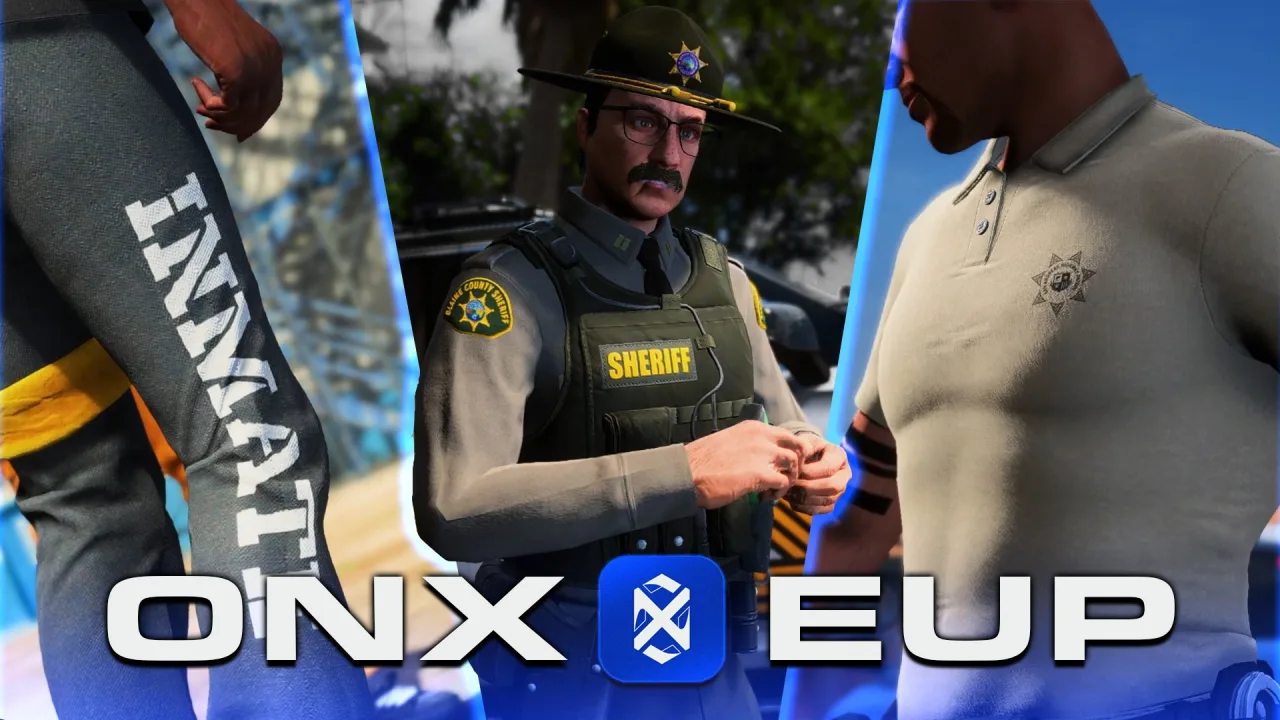
Custom clothing ships as a resource — typically an addon-ped or clothing stream — containing the GTA asset files plus a meta that maps them onto the freemode ped. The asset files are YDD drawable dictionaries (the geometry, e.g. uppr_000_u.ydd) and YTD texture dictionaries (the materials, e.g. uppr_diff_000_a_uni.ytd). The meta — commonly mp_m_freemode_01.meta and a matching shop_clothes.meta — tells the engine which drawable number each YDD occupies and how many texture variants each one has. Clothing toolchains (the various clothing-tool / EUP generators) exist precisely to build these meta files automatically, because hand-writing the numbering is where most packs break.
The mp Numbering and post_ / base Offsets
There are two base freemode models: mp_m_freemode_01 (male) and mp_f_freemode_01 (female), and addon clothing must be authored per gender. Here is the offset trap. The base game already occupies drawable indices 0 through whatever the stock count is for each slot. When you add clothing rather than replace it, your streamed drawables are appended after that base count — the “post” range. So drawable 0 inside your pack is not global drawable 0; it is base-count plus zero. If your meta declares one numbering but the appearance menu saves the global number, the saved value lands on a different garment — which is the underlying cause of the t-shirt/jacket swap and of items that “shift” by a fixed amount after you add a second pack. Always confirm whether your toolchain emitted base (replacement, low indices) or post_ (additive, offset indices) numbering before you let players save anything.
How Appearance Menus Reference These Numbers
Menus like illenium-appearance, fivem-appearance and qb-clothing are just front-ends over the same natives. When a player picks a jacket, the menu calls SetPedComponentVariation with a component id, drawable id and texture id, then writes those integers to the database — illenium-appearance and fivem-appearance persist a row per player in their appearance/skins table, while qb-clothing stores a JSON skin blob in the players table. On respawn the framework reads those exact numbers back and reapplies them. This is why a numbering mismatch is sticky: the wrong number gets baked into the save, so the item is wrong every time that character spawns until you fix the data, not just the stream.
Common Bugs and Fixes
- Item appears but is invisible or untextured — wrong texture id (out of range) or a missing/misnamed YTD. The drawable loads, the engine cannot resolve the texture, and it renders invisible or black. Fix: set
textureIdto a valid variant (start at0) or ship the missing.ytdwith the correct_diff_naming.
- Whole upper body or limb disappears — a drawable id beyond the declared count, or a top streamed into the wrong slot (e.g. a
jbibplaced in slot8). Setting torso slot3to a value that has no matching arms also produces invisible arms. Fix: correct the slot, and verify the drawable id is within the meta’s count.
- Clipping and stretching — the mesh is not weighted to the freemode skeleton, or it is the wrong gender model on the wrong ped. Fix: re-rig to
mp_*_freemode_01and never load a male YDD onto a female ped.
- Some packs simply do not load — too many streamed drawables exceed the default component limits, so the engine falls back and the ped goes invisible. Fix: raise the limits with an updated
gameconfig.xmland increase heap/streaming memory so all variations register.
A Practical Install and Test Flow
- Drop the resource into
resources/and addensurefor it inserver.cfg, placed after your appearance script.
- Restart and watch the console for streaming or missing-YTD errors as the pack loads.
- Open the appearance menu, go to the target component, and scroll to the addon index range to confirm the drawable shows.
- Cycle every texture id on that drawable to catch missing variants, and check both
mp_m_freemode_01andmp_f_freemode_01.
- Save, relog, and confirm the item reapplies from the database with the same numbers — this validates the offset is correct end to end.
When a saved outfit stops matching
A component number, a drawable index and a texture variation identify different parts of an outfit. If clothes change after a game-build update, also check how the appearance resource stores clothing collections and global drawable IDs. The FiveM clothing conflict checklist separates those ID changes from torso/top mismatches and missing texture files, with a repeatable staging test.